In short: audio mastering is the final production step that prepares a track for public release. It balances frequencies, controls dynamics, reaches the right LUFS level for each platform, and ensures album consistency. Without mastering, a track can sound great in the studio and poor everywhere else.
You just finished your mix. It sounds good on your monitors. Your friends approve. But the moment you compare it to a commercial track on Spotify, something is off — the sound is less full, less defined, less competitive. That gap has a name: it's the absence of mastering.
Yet 70% of independent artists skip this step or confuse it with mixing. This guide fixes that mistake and explains exactly what audio mastering is, why it's indispensable, and how it can transform your track before you release it.
Mastering vs mixing: the fundamental distinction
What mixing does
Mixing works on each track individually — vocals, drums, bass, synths — to create balance between elements. It's a creative process from inside the track, which can take hours or days.
What mastering does
Mastering takes the outside perspective: it listens to the finished track as a whole, with the neutral ear of the end listener. That deliberate distance is what reveals flaws invisible from inside the mix: midrange mud, missing high-end air, too much sub-bass in mono.
What does audio mastering actually do?
Mastering isn't about making a track louder — that's the most widespread misconception. Its role is subtler and more precise:
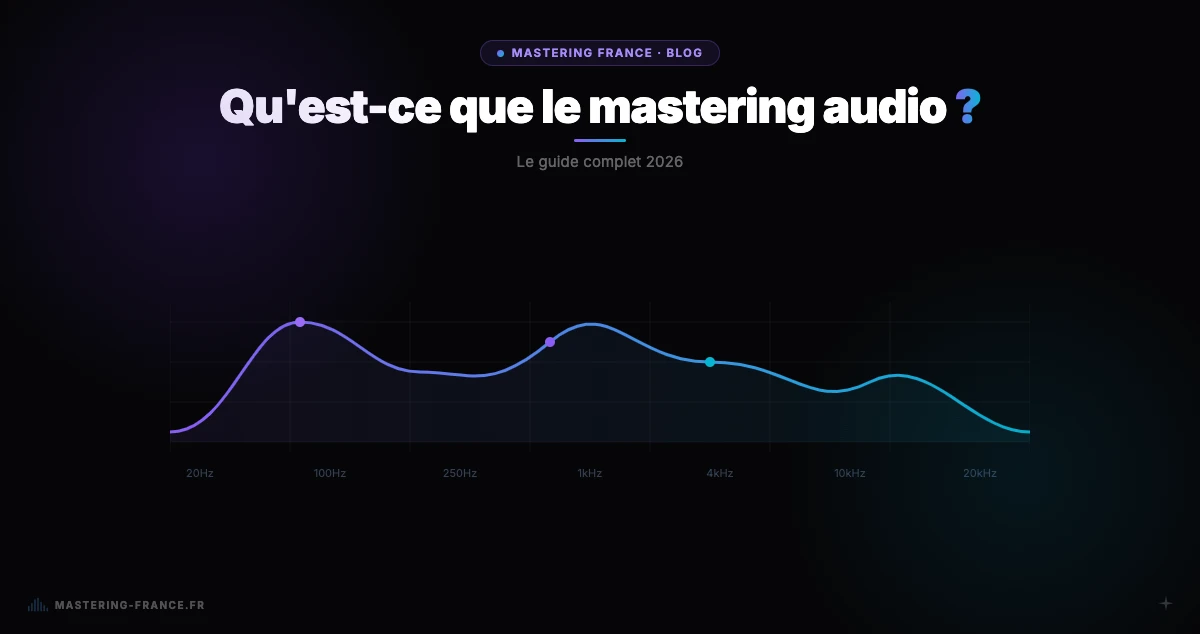
- Balance frequencies across the full audible spectrum (20 Hz to 20 kHz)
- Control dynamics without crushing the sound or killing the groove
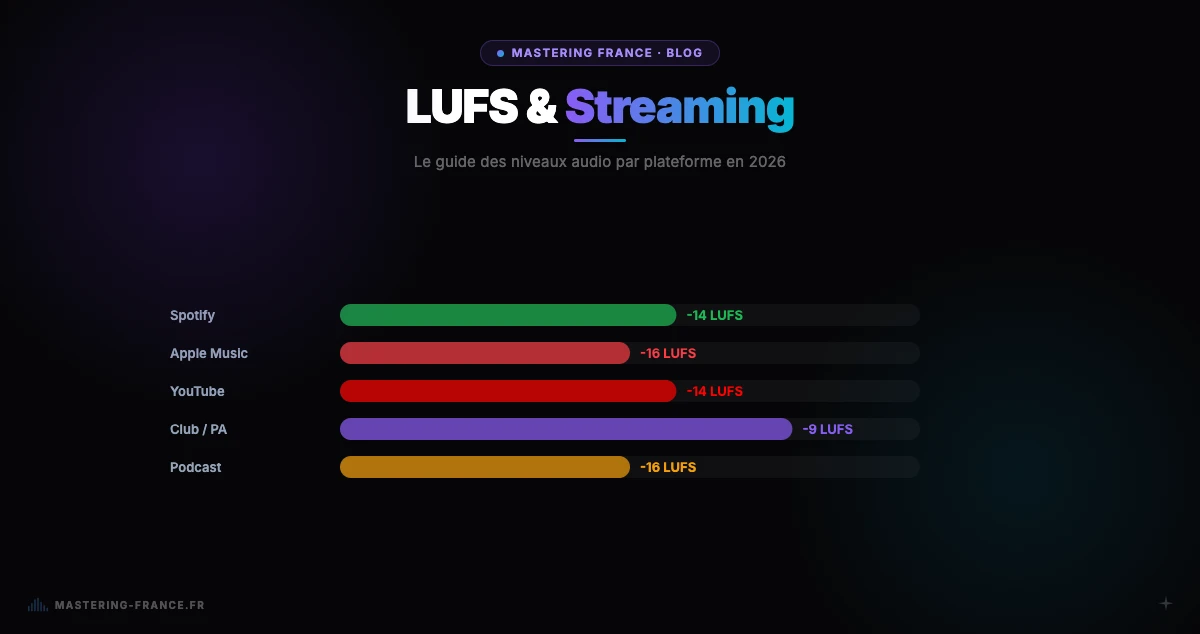
- Hit the target LUFS level for each platform (Spotify, Apple Music, club...)
- Ensure sonic consistency across all tracks on an album or EP
- Guarantee mono compatibility — critical for PA systems and mobile devices
- Prepare files to the spec of each format: streaming, vinyl, CD, radio
The steps of professional mastering
Initial mix analysis
Before any processing, the mix is analyzed in depth: frequency spectrum, RMS and integrated LUFS levels, True Peak, M/S phase correlation. This analysis reveals imbalances to correct and guides the entire processing chain.
Typical processing chain
- Linear phase EQ to correct tonal imbalances without coloration
- Light stereo compression (glue) to bind elements together
- Multiband compression for frequency-specific dynamic control
- Soft harmonic saturation to add warmth and presence
- Transparent limiting (True Peak < -1 dBTP) to hit the target LUFS
- Mid/Side check for mono compatibility
- Export in the right formats: 24-bit WAV, MP3 320 kbps, AAC
Tools used in professional mastering
Digital plugins (modern workflow)
- Precision EQ: FabFilter Pro-Q3, Weiss EQ1, DMG Equilibrium
- Stereo & multiband compressors: iZotope Ozone Dynamics, Oxford Inflator
- Transparent limiters: FabFilter Pro-L2, iZotope Ozone Maximizer, Waves L3
- Loudness measurement: Youlean Loudness Meter (free), iZotope Insight
- Reference monitoring: Focal Twin6, Genelec 1032C, Sonarworks SoundID
Analog hardware (specialist studios)
- Hardware EQ: Maselec MEA-2, Prism Sound, Weiss DS1
- Hardware compressors: API 2500, GML 8900, Neve 33609
- Premium converters: Prism Sound Dream ADA-8XR, Apogee Symphony I/O
AI mastering: the paradigm shift
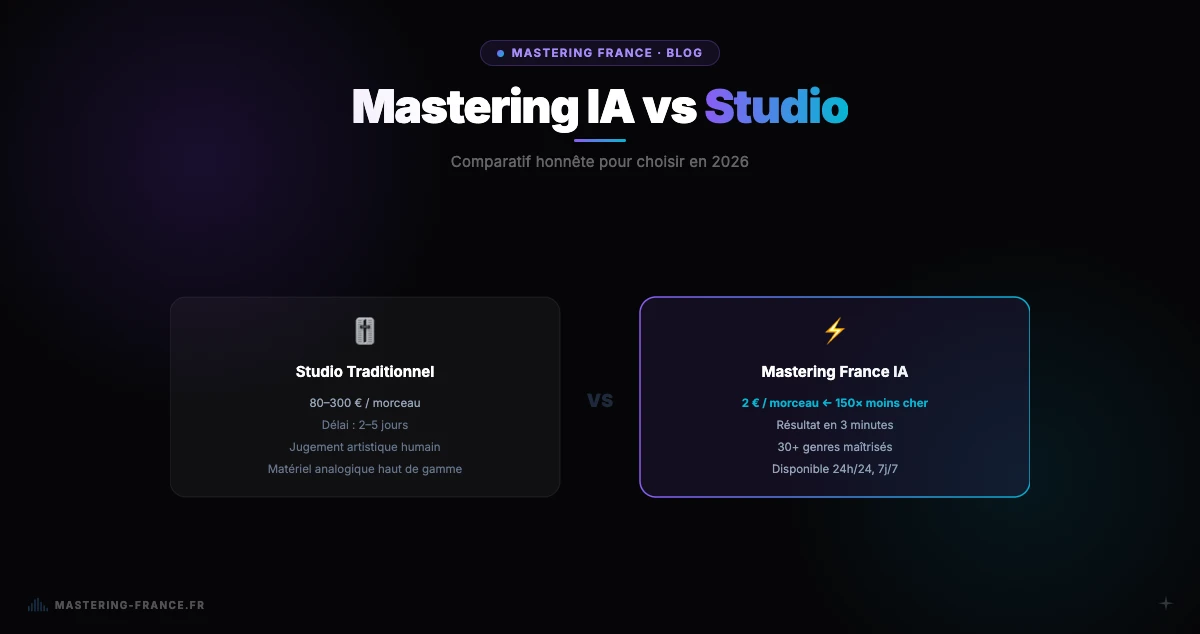
AI mastering services like Mastering France use neural networks trained on tens of thousands of professional masters. They analyze your mix, detect the musical genre, and automatically apply EQ, compression, and limiting in minutes — 24/7, no appointment needed.
Blind comparative studies show that, for clean mixes on popular genres (pop, electronic, hip-hop), AI mastering produces results indistinguishable from studio mastering in 80% of cases. The human engineer retains an advantage on complex projects — classical, acoustic jazz, experimental music with very specific artistic intent.
Common mistakes before sending to mastering
Insufficient headroom
If your mix peaks at -1 or 0 dBFS, mastering has no margin to work with. Absolute rule: leave -3 to -6 dBFS of peak headroom on your mix output. Disable any limiter on your master bus before exporting.
Processing active on the master bus
A compressor, saturator, or EQ active on the master bus during export will drastically cut into mastering headroom. Always export with no processing on the master output — keep a version with your bus processing for personal reference.
Exporting as MP3
MP3 is a lossy format that has already degraded your audio. Mastering an MP3 amplifies compression artifacts. Always export as WAV or AIFF at minimum 24-bit — ideally 32-bit float for mastering.
Only listening on one system
A mix validated on just one pair of headphones or speakers almost always hides problems. A bass deficiency that seems normal on your monitors can become jarring in a car or on a phone speaker. Always check on at least three different systems before sending to mastering.
How much does professional audio mastering cost?
A professional studio mastering session costs between €80 and €300 per track in France. Some well-known engineers charge €400–600. With an AI service like Mastering France, mastering starts at €2 per track — or €19/month for 15 masters with the Starter plan. For an artist releasing 20 tracks per year, the annual savings exceed €2,000.
Mastering is the step that turns a good mix into a track ready to compete with professional productions on any platform. Don't skip it anymore: upload your mix to Mastering France and get your professional master in 3 minutes — first credit free, no credit card required.