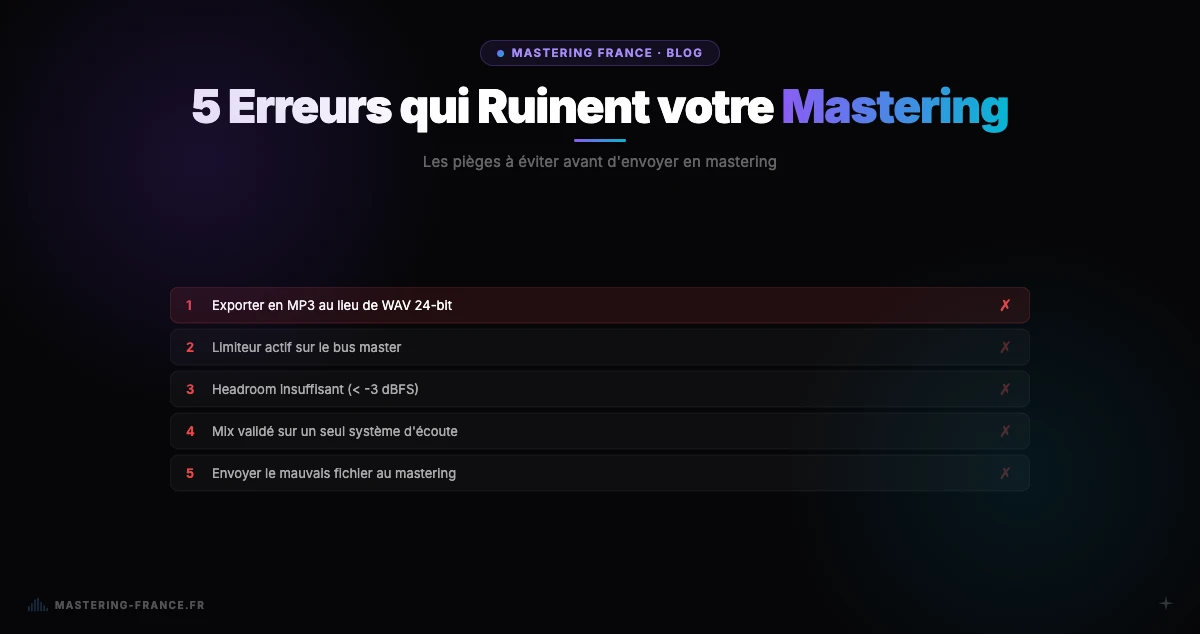
Golden rule: mastering reveals and amplifies what's in the mix. It doesn't correct — it exaggerates. A clean mix produces an excellent master. A mix with problems produces a master with the same problems, but more visible.
You send your mix to mastering and the result disappoints you. The bass sounds muddy, the overall sound seems compressed and suffocating, the vocals lack presence. You think the engineer didn't do a good job. In reality, the problems already existed in your mix.
Here are the five most common mixing mistakes that make quality mastering impossible — and how to fix them before sending your file.
Mistake 1: A mix that's already saturated or over-compressed
The problem
If your mix limiter is already pushing the track into the red, or if you've applied aggressive compression on the master bus, there's no headroom left for mastering. Mastering needs dynamic space to work — if everything is already clipping or saturated, the mastering chain can only make problems worse.
How to fix it
Always leave at least 3 to 6 dB of peak headroom on your mix output — ideally -6 dBFS peak maximum. Export with no processing on the master bus. If your track peaks higher, lower each track fader by a few dB to recover headroom, rather than adding a global limiter.
Mistake 2: Poorly controlled low end
The problem
Excessive, uncontrolled bass or sub-bass forces the mastering engineer (or AI) to compensate globally by reducing bass across the full spectrum — at the expense of clarity in the mids and highs. Stereo sub-bass creates phase issues on mono systems and streaming codecs.
How to fix it
- Sum sub-bass to mono below 80-100 Hz (use a plugin like Brainworx bx_solo or your DAW's M/S function)
- Apply a high-pass filter on all tracks with no useful low-end content: vocals, acoustic guitar, melodic synths, hi-hats
- Check mono compatibility by switching monitoring to mono and verifying the bass doesn't disappear
- Use a spectrum analyzer (Voxengo SPAN, free) to visualize imbalances before export
Mistake 3: Elements crowding the same frequencies
The problem
When multiple elements occupy the same frequencies with no space between them (bass and kick between 50–100 Hz, vocals and synth between 2–4 kHz), the track sounds confused and blurred — particularly once mastering compression is applied. Compression will "glue" these elements together, amplifying the congestion.
How to fix it
Subtractive EQ is your best tool: cut frequencies where one element clashes with another. For example, make a gentle cut between 60 and 80 Hz on the bass where the kick has its body — and vice versa. This technique, called "frequency ducking," creates space for each element to breathe.
Mistake 4: Exporting with master bus processing
The problem
Sending a mix with a bus compressor, saturator, limiter, or EQ already active on the master fader drastically cuts into mastering's headroom. Mastering expects a clean stereo sum with no global processing. Many producers confuse "bus glue" (light compressor) with mastering — they are two distinct steps.
How to fix it
Export two versions: one with your bus processing (for personal reference and listening) and one without (to send for mastering). The version without processing should sound "raw" and lack punch — that's normal, it's mastering's job to address that.
Mistake 5: Only listening to your mix on one system
The problem
A mix that only sounds good on one pair of headphones or speakers almost always hides problems that surface elsewhere. A bass deficiency that seems normal on good monitors can become jarring in a car. Excess brightness masked by your room becomes obvious on other speakers.
How to fix it
Validate your mix on at least three systems: your studio monitors, headphones, and a phone or Bluetooth speaker. A masterably good mix sounds decent everywhere — not perfect everywhere, but balanced and legible. If your bass disappears on a phone speaker, it's either too heavily filtered or underrepresented in the mids.
Full checklist before sending to mastering
- ✓ Peak max at -3 to -6 dBFS — no limiter on the master bus
- ✓ Sub-bass mono below 80 Hz — check in mono mode
- ✓ No major frequency conflicts between bass and kick, vocals and synths
- ✓ Mix validated on 3 different systems (monitors, headphones, phone)
- ✓ No clicks, pops, or artifacts at transitions
- ✓ Export as 24-bit or 32-bit float WAV — never as MP3
- ✓ 1–2 seconds of silence at start and end
- ✓ Consistent sample rate: 44.1 kHz or 48 kHz depending on destination
A mix prepared according to these rules will always produce better mastering results — whether with a human engineer or an AI. With Mastering France, the AI automatically analyzes dynamic and spectral issues and adjusts accordingly. Try it with your first free track.